
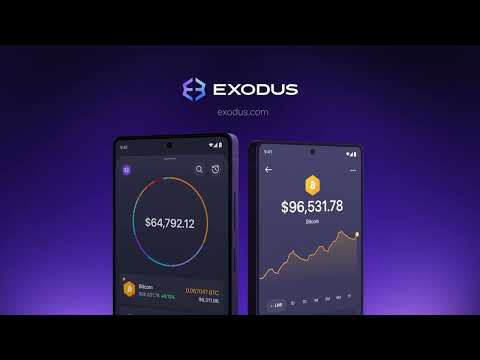
Exodus Wallet Review: Non-Custodial Wallet for Everyday Use
I have used a lot of crypto wallets. Some are clunky. Some are technically solid but feel like they were designed by engineers who have never met a real user. Exodus crypto wallet is different – and after using it as my primary crypto mobile wallet for over a year, I can tell you exactly why it stands out, where it falls short, and whether it deserves a place on your phone or desktop.
This is an honest Exodus wallet review. No hype, no affiliate fluff – just a practical assessment from someone who actually uses it to manage digital assets every day.
What Is the Exodus Crypto Wallet?
Exodus crypto wallet is a non custodial wallet, which means you – and only you – hold the keys to your crypto. There is no company account, no sign-up email, and no central server that stores your funds. When you set up Exodus crypto wallet, you are given a 12-word recovery phrase. That phrase is your wallet. Lose it, and no one – including Exodus – can recover your funds.
That is the trade-off of self-custody, and it is one worth understanding before you start. But it is also the entire point: your assets belong to you, not to a platform that could freeze your account, go insolvent, or get hacked.
Exodus was founded in 2015 and supports over 50 blockchain networks and hundreds of individual assets. It is available as a desktop application (Windows, macOS, Linux), a mobile wallet (iOS and Android), and a browser extension. All three sync seamlessly.
What I Actually Like About It (From Daily Use)
The Interface Is Genuinely Beautiful
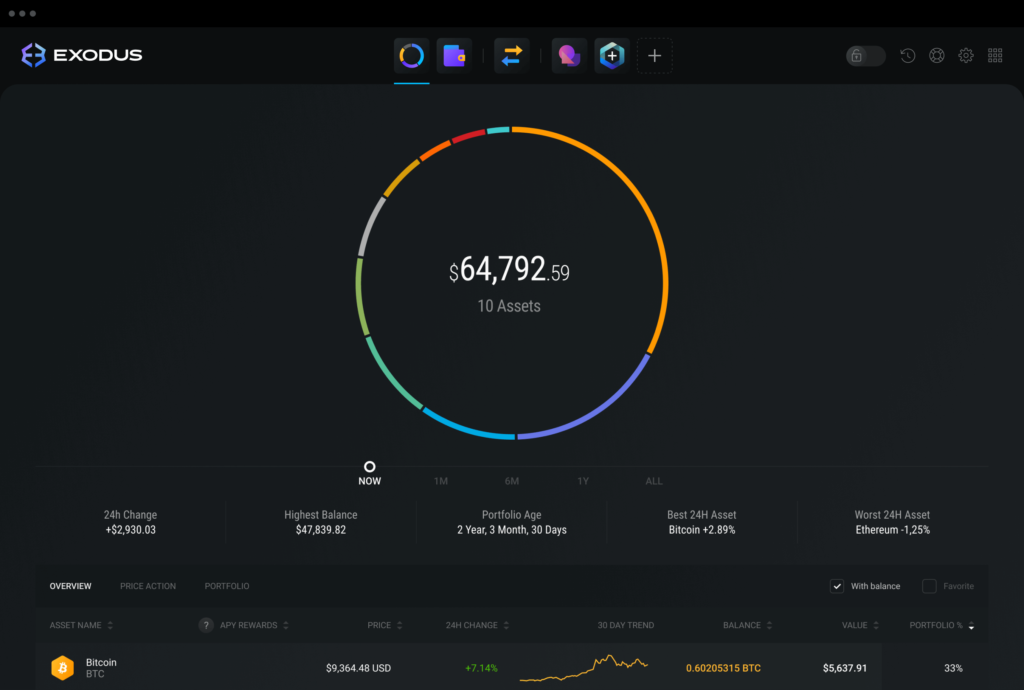
This sounds superficial, but it matters. I open my Exodus wallet multiple times a day. The design is clean, the portfolio view is immediately readable, and swapping between assets takes seconds. Compared to MetaMask or Trust Wallet, Exodus feels considerably more polished – more like a consumer app than a developer tool.
Built-In Swap Without Leaving the Wallet
You can swap between hundreds of assets directly inside Exodus without going to an external exchange. The swap aggregates rates from multiple providers and executes in one step. It is not always the cheapest route – the spread can be 1-3% depending on the pair – but the convenience is real, especially for users who do not want to bridge assets across platforms manually.
Portfolio Tracking Across All Your Assets
The portfolio dashboard shows your entire asset balance in one view, including real-time price changes. For users holding multiple assets across different chains, this alone saves significant time compared to checking multiple platforms.
Staking Directly In-App
Exodus supports staking for a growing list of assets including Solana, Cardano, Algorand, and others, directly from the wallet interface. Rewards are visible and accumulate in real time. The process takes about four clicks.
Hardware Wallet Integration
Exodus integrates with Trezor hardware wallets. This is significant: it means you can use Exodus as your primary interface while keeping your private keys on a hardware device – combining the wallet’s clean UX with the security of cold storage. For anyone holding meaningful amounts, this combination is worth considering.
What Could Be Better
Swap Fees Are Not the Lowest
If you are swapping large amounts frequently, you will likely find better rates on a DEX aggregator or a centralised exchange. Exodus is convenient, but convenience has a cost. For small swaps or occasional portfolio rebalancing, it is fine. For active trading, look elsewhere for execution.
No Web3 DApp Browser on Mobile
Exodus’s mobile wallet does not have a full-featured DApp browser in the way that MetaMask Mobile or Trust Wallet does. If you want to interact with DeFi protocols directly from your phone, Exodus is more limited here. The browser extension handles this better, but mobile DeFi users may find it restrictive.
Limited Advanced DeFi Support
Exodus is designed for straightforward asset management – holding, sending, receiving, staking, and swapping. It is not built for complex DeFi interactions like providing liquidity on Uniswap, depositing into Aave vaults, or managing positions on Curve. For those use cases, MetaMask or a dedicated DeFi wallet is more appropriate.
Is Exodus Crypto Wallet Safe?
This is the most common question I get, and it deserves a direct answer.
Exodus crypto wallet is as safe as your own behaviour allows it to be. As a non-custodial wallet, the security model is straightforward: your private keys never leave your device, and Exodus never has access to your funds. There is no central database of user credentials to hack.
The primary risks are:
- Losing or exposing your 12-word recovery phrase. This is the only way to lose access permanently. Store it offline, never digitally, and never share it.
- Phishing attacks. Always download Exodus from the official site (exodus.com) or the App Store/Google Play. Fake wallets are a common attack vector.
- Device compromise. If your phone or computer is compromised by malware, a digital wallet is vulnerable regardless of brand.
Exodus has not suffered a protocol-level hack. Its codebase is not fully open-source, which is a legitimate criticism from a security transparency standpoint – unlike MetaMask or Frame, which are open source. However, the wallet does undergo third-party security audits.
For holdings above a few hundred dollars, pairing Exodus with a Trezor hardware wallet removes most of the software risk.
Exodus vs Binance Wallet
This comparison comes up frequently because Binance also offers a non custodial wallet product. Here is how they differ in practice:
| Feature | Exodus | Binance Wallet |
|---|---|---|
| Custody model | Non-custodial | Non-custodial |
| Interface quality | Excellent – consumer-grade UX | Functional, more technical |
| DeFi integration | Limited (no DApp browser on mobile) | Stronger (designed for Web3) |
| Asset support | 250+ assets, 50+ networks | Extensive, with BNB Chain focus |
| Built-in swap | Yes | Yes |
| Staking | Yes (multiple assets) | Yes |
| Open source | Partially | Partially |
| Hardware wallet support | Trezor integration | Limited |
| Best for | Everyday holders and beginners | Active DeFi users on BNB Chain |
If you are primarily holding and occasionally swapping a diversified portfolio of mainstream assets, Exodus is the better experience. If you are actively participating in DeFi protocols – particularly on BNB Chain – the Binance Wallet is more capable at that level of interaction.
Who Is Exodus Best For?
After a year of daily use, my honest answer is this:
Exodus is a good crypto wallet for users who want self-custody without the learning curve. It is the wallet I recommend to friends who are new to crypto but serious about owning their assets. It is also what I use personally for my everyday holdings, with hardware wallet integration for anything significant.
It is not the right choice if you are a developer, an active DeFi user, or someone who prioritises full open-source transparency above all else. For those users, MetaMask or Frame are better suited.
But for the majority of people who want a reliable, well-designed crypto wallet that just works – Exodus is the clearest recommendation I can make.
How to Get Started With Exodus
- Download Exodus crypto wallet from the official website or your app store – always verify the source.
- Open the app and select “Create New Wallet.”
- Write down your 12-word recovery phrase and store it somewhere safe, preferably offline.
- Your wallet is ready. No email, no account, no KYC required.
- Add funds by copying your deposit address or scanning the QR code.
The whole process takes under five minutes.
Ready to try it yourself? Download Exodus and take control of your digital assets today: Get Exodus Wallet
Frequently Asked Questions
Q: Is Exodus crypto wallet safe?
A: Yes, Exodus is safe for everyday use as a digital wallet. It is non-custodial, meaning your keys never leave your device and Exodus has no access to your funds. The main risks are user-side: losing your recovery phrase, downloading a fake version, or having your device compromised. For larger holdings, pair it with a Trezor hardware wallet for an additional layer of security.
Q: Is Exodus wallet free?
A: Downloading and using Exodus is free. The wallet earns revenue through a small spread on in-app swaps, so there is no subscription fee or transaction fee from Exodus itself (network fees still apply for blockchain transactions).
Q: Can I use Exodus on multiple devices?
A: Yes. You can install Exodus on your phone, desktop, and as a browser extension and sync them all using your recovery phrase. All devices update in real time.
Q: Does Exodus support NFTs?
A: Yes. Exodus supports viewing and managing NFTs on supported networks including Ethereum and Solana.
Q: What happens if Exodus shuts down?
A: Because Exodus wallet is a noncustodial wallet, your funds exist on the blockchain – not on Exodus’s servers. If the company shut down tomorrow, you could restore your wallet using your 12-word recovery phrase in any compatible wallet (such as MetaMask or Trust Wallet). Your assets would be completely unaffected.
Q: Exodus vs Binance Wallet – which should I choose?
A: For most everyday users, Exodus is the cleaner, more beginner-friendly option. Binance Wallet is more capable for active DeFi use on BNB Chain. See the full comparison table above.
Q: Does Exodus support staking?
A: Yes. Exodus supports in-app staking for a growing number of assets including Solana (SOL), Cardano (ADA), Algorand (ALGO), and others. Rewards are visible directly in the app and compound over time.
Q: Is Exodus a good long-term wallet?
A: For a buy-and-hold strategy with occasional swaps, yes. For active DeFI participation or developer use, you may eventually want a more flexible wallet. But as a starting point or everyday wallet, Exodus holds up well.
Ready to get started? Download Exodus
Disclaimer: This review reflects personal experience and publicly available information. It is not financial advice. Always conduct your own research before choosing a wallet or managing digital assets.

 DefinedFi